
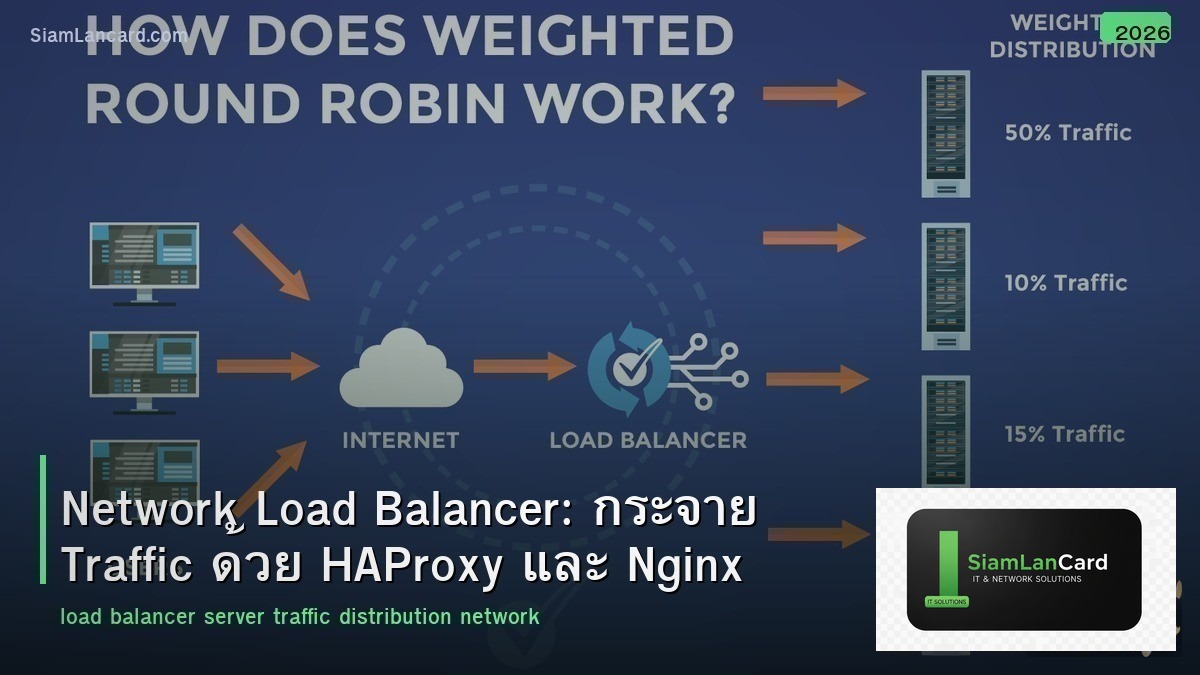
Network Load Balancer: กระจาย Traffic ด้วย HAProxy และ Nginx
Load Balancer คืออุปกรณ์หรือ software ที่กระจาย traffic จาก clients ไปยัง backend servers หลายตัว ทำให้ไม่มี server ตัวใดตัวหนึ่งรับ load มากเกินไป เพิ่ม availability (ถ้า server ตัวหนึ่งล่ม traffic ย้ายไปตัวอื่น) และ scalability (เพิ่ม servers ได้)
สำหรับ network engineer และ sysadmin HAProxy และ Nginx เป็น open-source load balancers ที่ใช้กันมากที่สุด HAProxy เป็น dedicated load balancer ที่ performance สูงมาก ส่วน Nginx เป็นทั้ง web server และ reverse proxy/load balancer บทความนี้จะอธิบายพื้นฐาน load balancing และวิธี config ทั้ง 2 tools
ประเภท Load Balancing
| ประเภท | Layer | วิธีทำงาน | ตัวอย่าง |
|---|---|---|---|
| L4 Load Balancing | Transport (TCP/UDP) | กระจาย traffic ตาม IP + Port | HAProxy TCP mode, AWS NLB |
| L7 Load Balancing | Application (HTTP/HTTPS) | กระจาย traffic ตาม URL, Header, Cookie | HAProxy HTTP mode, Nginx, AWS ALB |
| DNS Load Balancing | DNS | ตอบ DNS query ด้วย IP ต่างกันแต่ละครั้ง | Route53, Cloudflare LB |
| Global Server LB (GSLB) | DNS + Health Check | กระจาย traffic ข้าม data centers/regions | F5 GTM, Cloudflare, AWS Route53 |
Load Balancing Algorithms
| Algorithm | วิธีทำงาน | เหมาะกับ |
|---|---|---|
| Round Robin | วนส่ง traffic ไป server ทีละตัว | Servers spec เท่ากัน stateless apps |
| Weighted Round Robin | Round robin + weight (server แรงกว่าได้ traffic มากกว่า) | Servers spec ไม่เท่ากัน |
| Least Connections | ส่งไป server ที่มี active connections น้อยที่สุด | Long-lived connections (WebSocket) |
| IP Hash | Hash source IP → เลือก server (same client → same server) | Session persistence ง่ายๆ |
| Least Response Time | ส่งไป server ที่ response เร็วที่สุด | Servers มี performance ต่างกัน |
HAProxy
พื้นฐาน
HAProxy (High Availability Proxy) เป็น load balancer ที่ performance สูงที่สุดในกลุ่ม open-source: รองรับ L4 (TCP) + L7 (HTTP) load balancing Health checks อัตโนมัติ (HTTP, TCP, custom scripts) SSL/TLS termination Sticky sessions (cookie-based, source IP) ACLs สำหรับ routing rules ละเอียด Stats dashboard built-in
HAProxy Config ตัวอย่าง
haproxy.cfg: global log /dev/log local0 maxconn 4096 defaults mode http timeout connect 5000ms timeout client 50000ms timeout server 50000ms option httplog frontend web_frontend bind *:80 bind *:443 ssl crt /etc/ssl/cert.pem default_backend web_servers backend web_servers balance roundrobin option httpchk GET /health server web1 10.0.1.10:8080 check server web2 10.0.1.11:8080 check server web3 10.0.1.12:8080 check listen stats bind *:8404 stats enable stats uri /stats stats auth admin:password
Nginx
พื้นฐาน
Nginx เป็นทั้ง web server, reverse proxy และ load balancer: L7 load balancing (HTTP/HTTPS) Built-in caching + compression Flexible config SSL/TLS termination Rate limiting + access control เหมาะสำหรับ use cases ที่ต้องการทั้ง web serving + load balancing
Nginx Config ตัวอย่าง
nginx.conf: upstream web_backend { least_conn; server 10.0.1.10:8080 weight=3; server 10.0.1.11:8080 weight=2; server 10.0.1.12:8080 weight=1; } server { listen 80; listen 443 ssl; ssl_certificate /etc/ssl/cert.pem; ssl_certificate_key /etc/ssl/key.pem; location / { proxy_pass http://web_backend; proxy_set_header Host $host; proxy_set_header X-Real-IP $remote_addr; proxy_set_header X-Forwarded-For $proxy_add_x_forwarded_for; proxy_set_header X-Forwarded-Proto $scheme; } location /health { return 200 ‘OK’; } }
HAProxy vs Nginx
| คุณสมบัติ | HAProxy | Nginx |
|---|---|---|
| Primary Purpose | Load Balancer (dedicated) | Web Server + Reverse Proxy + LB |
| L4 (TCP) LB | ดีมาก (native) | ได้ (stream module) |
| L7 (HTTP) LB | ดีมาก | ดีมาก |
| Performance | สูงมาก (purpose-built) | สูง |
| Health Checks | Advanced (HTTP, TCP, agent) | Basic (HTTP, TCP) |
| Stats Dashboard | Built-in (detailed) | Basic (stub_status) หรือ Plus |
| ACLs/Routing Rules | Very powerful | Good (location blocks) |
| Caching | ไม่มี | Built-in (proxy_cache) |
Health Checks
ตรวจสอบ Backend Servers
Health check ตรวจว่า backend server ยัง healthy หรือไม่: TCP check: เชื่อมต่อ TCP port ได้ = healthy HTTP check: ส่ง GET /health → ได้ 200 OK = healthy ถ้า server fail health check → load balancer หยุดส่ง traffic ไป server นั้น เมื่อ server recover → load balancer เริ่มส่ง traffic อีกครั้ง
SSL/TLS Termination
Offload SSL ที่ Load Balancer
SSL Termination: Load balancer handle SSL/TLS → ส่ง traffic เป็น HTTP ไป backend servers ข้อดี: backend servers ไม่ต้อง process SSL (ลด CPU) จัดการ certificates ที่จุดเดียว ข้อเสีย: traffic ระหว่าง LB → backend ไม่ encrypted (ถ้าอยู่ใน trusted network OK) ถ้าต้องการ end-to-end encryption: ใช้ SSL passthrough หรือ re-encrypt
ทิ้งท้าย: Load Balancer คือพื้นฐานของ High Availability
Load Balancer จำเป็นสำหรับ production workloads ทุกประเภท HAProxy เหมาะสำหรับ dedicated load balancing (performance สูง) Nginx เหมาะถ้าต้องการทั้ง web server + load balancer เริ่มจาก round robin + health checks แล้วค่อยปรับ algorithm
อ่านเพิ่มเติมเกี่ยวกับ Network Monitoring Grafana และ DNS Security ที่ siamlancard.com หรือจาก icafeforex.com และ siam2r.com






