Home » Network Forensics: Packet Capture, Flow Analysis, Log Correlation, Threat Hunting และ Evidence Collection
Network Forensics: Packet Capture, Flow Analysis, Log Correlation, Threat Hunting และ Evidence Collection
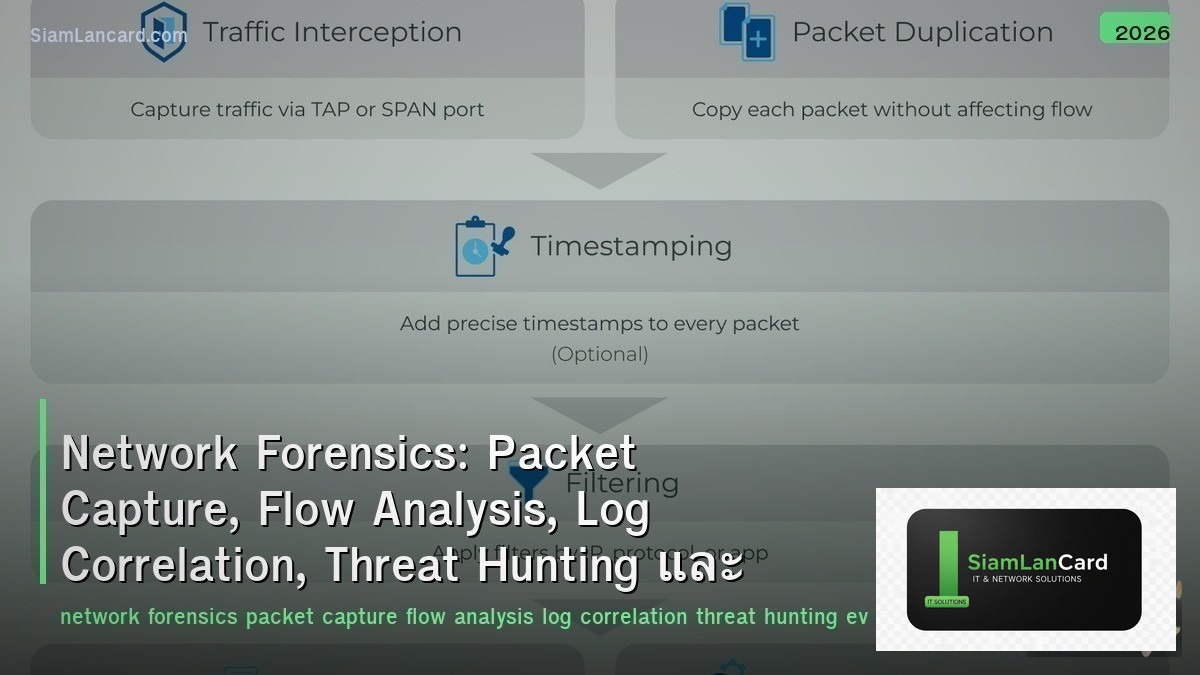
Network Forensics: Packet Capture, Flow Analysis, Log Correlation, Threat Hunting และ Evidence Collection
Network Forensics วิเคราะห์ network traffic เพื่อตรวจจับและสืบสวน security incidents Packet Capture บันทึก raw packets สำหรับ deep analysis, Flow Analysis วิเคราะห์ traffic patterns จาก NetFlow/sFlow, Log Correlation รวม logs จากหลายแหล่งเพื่อสร้าง timeline, Threat Hunting ค้นหา threats ที่ automated tools พลาด และ Evidence Collection รวบรวมหลักฐานที่ใช้ได้ในศาล
Network forensics เป็น ทักษะที่ขาดแคลนมากที่สุด ใน cybersecurity: 90%+ ของ breaches ถูกค้นพบโดย third parties (ไม่ใช่องค์กรเอง), average dwell time (เวลาที่ attacker อยู่ใน network ก่อนถูกพบ) = 204 วัน (IBM 2023) Network forensics ช่วยลด dwell time, ระบุ scope of compromise, หา root cause, รวบรวมหลักฐานสำหรับ legal action, และป้องกันไม่ให้เกิดซ้ำ
Packet Capture Methods
| Method |
How |
Use Case |
| SPAN/Mirror Port |
Switch copies traffic from one port to another → capture device connected to mirror port |
Quick setup, limited to single switch, may drop packets under load |
| Network TAP |
Physical device inline between two points → copies all traffic (passive, no packet loss) |
Critical links — full-fidelity capture, no dropped packets |
| Inline Capture |
Device sits in traffic path → captures and optionally blocks |
IPS, WAF — capture + enforcement simultaneously |
| Remote Capture |
Agent on endpoint/server captures locally → streams to central collector |
Distributed capture across many hosts (cloud, containers) |
| Cloud VPC Flow |
Cloud provider flow logs (AWS VPC Flow, Azure NSG Flow) |
Cloud traffic visibility — metadata only (no payload) |
Packet Analysis Tools
| Tool |
Function |
Best For |
| Wireshark |
GUI packet analyzer — deep protocol dissection, display filters |
Interactive analysis, protocol debugging, education |
| tcpdump |
CLI packet capture — lightweight, runs on any Linux/BSD |
Server-side capture, scripted capture, low overhead |
| tshark |
CLI version of Wireshark — scriptable with same dissectors |
Automated analysis, batch processing of pcap files |
| NetworkMiner |
Network forensic analyzer — extract files, images, credentials from pcap |
Forensic investigation — extract artifacts from captures |
| Zeek (Bro) |
Network security monitor — generates structured logs from traffic |
Continuous monitoring, threat hunting, behavioral analysis |
| Moloch/Arkime |
Full packet capture + indexing + search at scale |
Enterprise: store and search terabytes of network traffic |
Flow Analysis
| Technology |
Data Collected |
Use |
| NetFlow v5/v9 |
Src/dst IP, ports, protocol, bytes, packets, timestamps |
Traffic accounting, capacity planning, anomaly detection |
| IPFIX |
Flexible templates — any network metadata |
Standard evolution of NetFlow — vendor-neutral |
| sFlow |
Sampled packets + interface counters |
High-speed networks — statistical sampling reduces overhead |
| Flow vs Packet |
Flow: metadata (who talked to whom, how much) | Packet: full content |
Flow for overview → Packet for deep dive (start with flow, drill into packets) |
| Tools |
ntopng, SiLK, Elastiflow, Kentik, SolarWinds NTA |
Visualization, anomaly detection, traffic intelligence |
Log Correlation
| Log Source |
What It Shows |
Forensic Value |
| Firewall Logs |
Allowed/denied connections, NAT translations |
Who connected to what, what was blocked |
| DNS Logs |
Domain name queries and responses |
C2 communication, data exfiltration via DNS tunneling |
| Proxy/Web Logs |
HTTP/HTTPS requests, URLs, user agents |
Malware downloads, C2 over HTTP, data upload |
| DHCP Logs |
IP-to-MAC assignment, lease times |
Map IP address to physical device at specific time |
| Authentication Logs |
Login success/failure, source IP, username |
Credential attacks, lateral movement, privilege escalation |
| Endpoint Logs |
Process execution, file changes, registry |
Malware execution, persistence mechanisms, data access |
Threat Hunting
| Technique |
How |
Example |
| Hypothesis-Driven |
Form hypothesis → search for evidence → confirm/deny |
“Attackers may use DNS tunneling” → search for long DNS queries, high query volume |
| IOC-Based |
Search for known indicators: IPs, domains, file hashes |
Feed threat intel IOCs into SIEM → search historical logs |
| Anomaly-Based |
Baseline normal → find deviations |
Server normally sends 10MB/day → suddenly 10GB → data exfiltration? |
| TTP-Based |
Search for MITRE ATT&CK techniques |
T1053 (Scheduled Task) → search for unusual scheduled tasks on servers |
| Frequency Analysis |
Look for beaconing patterns (regular intervals) |
Connection every 60 seconds to unknown domain → C2 beacon |
Evidence Collection
| Principle |
Detail |
| Chain of Custody |
Document who handled evidence, when, what was done — unbroken chain from collection to court |
| Integrity |
Hash (SHA-256) all evidence at collection → verify hash hasn’t changed → proves no tampering |
| Volatility Order |
Collect most volatile first: memory → network connections → running processes → disk → logs |
| Write Protection |
Mount evidence drives read-only → prevent accidental modification |
| Documentation |
Photograph screens, document commands run, timestamp everything, detailed notes |
| Legal |
Follow organization’s IR policy, involve legal team early, preserve for potential litigation |
ทิ้งท้าย: Network Forensics = Find the Truth in the Traffic
Network Forensics Packet Capture: SPAN/TAP/inline/remote — Wireshark, tcpdump, Arkime (enterprise-scale) Flow Analysis: NetFlow/IPFIX/sFlow — metadata overview, start with flow → drill into packets Log Correlation: firewall + DNS + proxy + DHCP + auth + endpoint — build timeline of attack Threat Hunting: hypothesis-driven, IOC-based, anomaly detection, TTP (MITRE ATT&CK), frequency analysis Evidence: chain of custody, SHA-256 hashing, volatility order, write protection, documentation Key: average dwell time 204 days — network forensics + threat hunting can reduce to hours/days instead of months
อ่านเพิ่มเติมเกี่ยวกับ Network Security Architecture Defense in Depth Segmentation และ Network Troubleshooting Methodology OSI Layer Wireshark ที่ siamlancard.com หรือจาก icafeforex.com และ siam2r.com






