Home » Network Access Control (NAC): ควบคุมอุปกรณ์ที่เชื่อมต่อ Network
Network Access Control (NAC): ควบคุมอุปกรณ์ที่เชื่อมต่อ Network
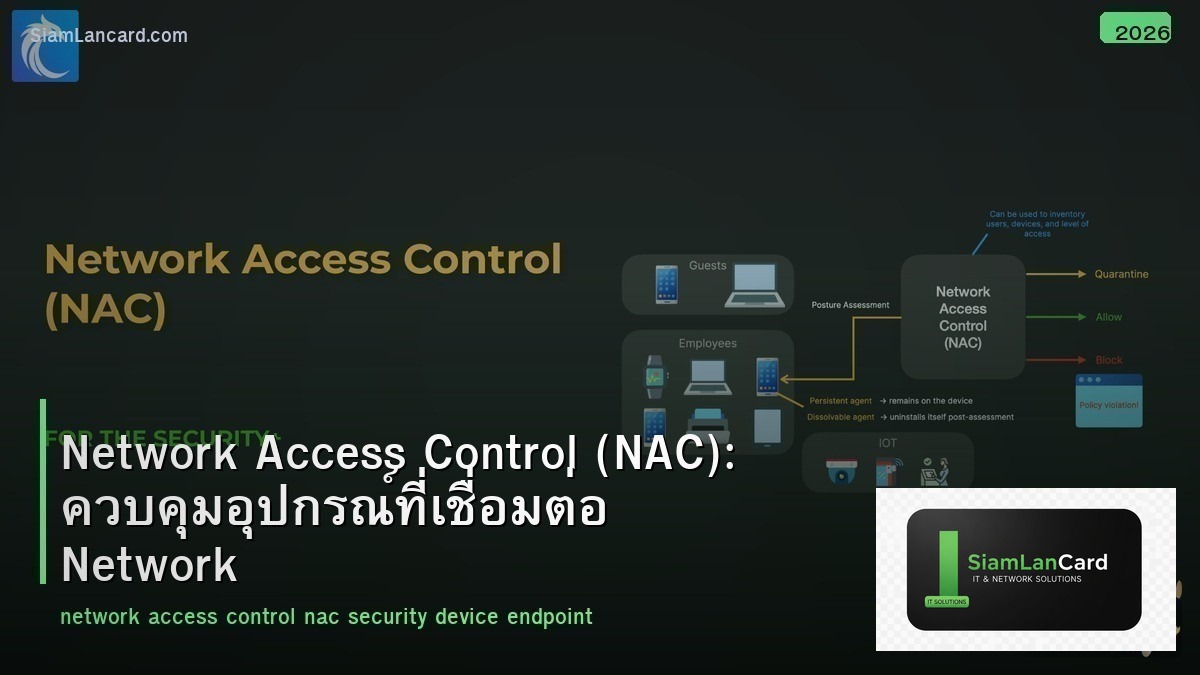
Network Access Control (NAC): ควบคุมอุปกรณ์ที่เชื่อมต่อ Network
Network Access Control (NAC) คือโซลูชันที่ควบคุมว่าอุปกรณ์ใดสามารถเชื่อมต่อเข้า network ได้ โดยตรวจสอบ identity ของ user/device, ตรวจสอบ security posture (antivirus, patch level, compliance) และกำหนดระดับ access ที่เหมาะสม อุปกรณ์ที่ไม่ผ่านการตรวจจะถูก block หรือถูกส่งไปยัง remediation network
ปัจจุบันองค์กรมี อุปกรณ์หลากหลายเชื่อมต่อ network: laptops, phones, tablets, IoT, printers, cameras, BYOD devices ถ้าไม่มี NAC อุปกรณ์ใดก็ได้ที่เสียบสาย LAN หรือเชื่อมต่อ WiFi จะเข้าถึง network ได้ทันที รวมถึงอุปกรณ์ที่ติด malware หรืออุปกรณ์ของบุคคลภายนอก NAC ช่วยป้องกันปัญหานี้
NAC ทำงานอย่างไร
| Step |
Action |
ผลลัพธ์ |
| 1. Detection |
ตรวจจับอุปกรณ์ที่เชื่อมต่อ (wired/wireless) |
รู้ว่ามีอุปกรณ์ใหม่เชื่อมต่อ |
| 2. Authentication |
ยืนยันตัวตน (802.1X, MAB, web portal) |
รู้ว่าเป็นใคร/อุปกรณ์อะไร |
| 3. Assessment |
ตรวจ security posture (AV, patch, compliance) |
รู้ว่าอุปกรณ์ปลอดภัยหรือไม่ |
| 4. Authorization |
กำหนด access level (VLAN, ACL, SGT) |
ได้ access ตามสิทธิ์ |
| 5. Remediation |
อุปกรณ์ที่ไม่ผ่าน → ส่งไป quarantine network |
แก้ไขก่อนได้ access |
| 6. Monitoring |
ติดตาม behavior หลัง access |
Detect anomalies → revoke access |
Authentication Methods
| Method |
วิธีการ |
เหมาะกับ |
| 802.1X (EAP) |
Certificate หรือ credentials ผ่าน RADIUS |
Corporate devices (managed) |
| MAB (MAC Authentication Bypass) |
ใช้ MAC address authenticate |
IoT, printers, cameras (ไม่รองรับ 802.1X) |
| Web Portal (Captive Portal) |
Redirect ไป login page |
Guest access, BYOD |
| Agent-based |
ติดตั้ง agent บน device ตรวจ posture |
Corporate devices ที่ต้อง compliance check |
| Agentless |
ตรวจ posture ผ่าน network (SNMP, WMI, NMAP) |
BYOD, devices ที่ลง agent ไม่ได้ |
NAC Solutions
| Solution |
Vendor |
จุดเด่น |
ราคา |
| Cisco ISE |
Cisco |
Market leader, deep Cisco integration, TrustSec |
$$$ |
| Aruba ClearPass |
HPE Aruba |
Multi-vendor, strong BYOD/Guest, policy engine |
$$ |
| Forescout |
Forescout |
Agentless, device visibility, OT/IoT |
$$ |
| FortiNAC |
Fortinet |
Fortinet integration, affordable |
$$ |
| PacketFence |
Open-source |
Free, full-featured, community support |
Free |
| Portnox |
Portnox |
Cloud-native NAC, easy deployment |
$$ |
NAC Policies
| Device Type |
Auth Method |
Access Level |
| Corporate Laptop (domain-joined) |
802.1X (EAP-TLS certificate) |
Full corporate access (VLAN 10) |
| Corporate Mobile (MDM managed) |
802.1X (EAP-PEAP) + MDM check |
Corporate WiFi access |
| BYOD Device |
Web portal + registration |
Internet only (VLAN 30) |
| Guest |
Captive portal (sponsor approval) |
Internet only (VLAN 30, rate limited) |
| IP Phone |
MAB (CDP/LLDP detection) |
Voice VLAN (VLAN 40) |
| Printer |
MAB (MAC whitelist) |
Print VLAN (VLAN 50) |
| IoT/Camera |
MAB (profiling) |
IoT VLAN (VLAN 60, restricted) |
| Unknown Device |
ไม่ผ่าน auth |
Quarantine (VLAN 999) หรือ block |
Posture Assessment
| Check |
ตรวจอะไร |
Action ถ้าไม่ผ่าน |
| Antivirus |
AV ติดตั้งและ update แล้ว |
ส่งไป remediation → update AV |
| OS Patch |
OS patches ล่าสุดติดตั้งแล้ว |
ส่งไป WSUS/patch server |
| Firewall |
Host firewall เปิดอยู่ |
แจ้งเตือน/block |
| Encryption |
Disk encryption เปิด (BitLocker) |
แจ้งเตือน |
| Domain Membership |
อยู่ใน AD domain |
BYOD policy (limited access) |
| MDM Compliance |
MDM policy comply (mobile) |
Block corporate access |
Deployment Phases
| Phase |
Action |
Mode |
| 1. Visibility (Monitor) |
Deploy NAC ใน monitor mode ดู traffic |
Open mode (ไม่ block) |
| 2. Profiling |
Profile ทุก device บน network (type, OS, vendor) |
Open mode |
| 3. Low-impact |
เริ่ม enforce ด้วย DACL/dACL (ไม่ปิด port) |
Low-impact mode |
| 4. Closed Mode |
Full enforcement: ไม่ auth = ไม่ได้ access |
Closed mode (802.1X) |
| 5. Posture |
เพิ่ม posture assessment |
Full enforcement + posture |
NAC + Zero Trust
| Zero Trust Principle |
NAC Implementation |
| Verify identity |
802.1X authentication ทุก device |
| Verify device health |
Posture assessment (AV, patch, compliance) |
| Least privilege access |
VLAN/ACL/SGT ตาม role (ไม่ใช่ full access) |
| Continuous monitoring |
Monitor behavior หลัง access → revoke ถ้า anomaly |
| Assume breach |
Segment network + contain threats |
ทิ้งท้าย: NAC = ประตูหน้าของ Network Security
NAC ควบคุมว่าอุปกรณ์ใดเข้า network ได้ เริ่มจาก visibility (monitor mode) ก่อน เพิ่ม profiling → authentication → posture ตามลำดับ ใช้ 802.1X สำหรับ managed devices, MAB สำหรับ IoT, portal สำหรับ guests เป็นพื้นฐานของ Zero Trust Network Access
อ่านเพิ่มเติมเกี่ยวกับ 802.1X Authentication และ Network Segmentation ที่ siamlancard.com หรือจาก icafeforex.com และ siam2r.com






