Home » Network Access Control: 802.1X, RADIUS, MAB และ NAC Solutions
Network Access Control: 802.1X, RADIUS, MAB และ NAC Solutions
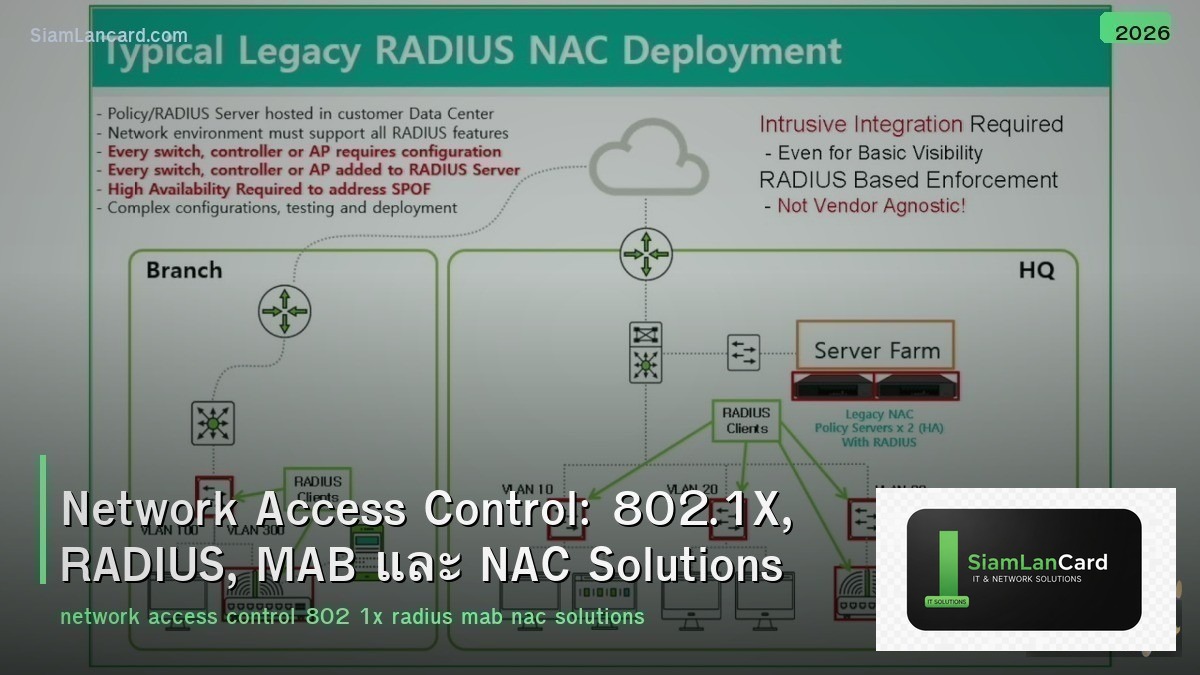
Network Access Control: 802.1X, RADIUS, MAB และ NAC Solutions
Network Access Control (NAC) ควบคุมว่าใครและอุปกรณ์ไหนสามารถเข้าถึง network ได้ 802.1X เป็น port-based authentication standard ที่ใช้ RADIUS server ตรวจสอบ identity, MAB (MAC Authentication Bypass) รองรับ devices ที่ไม่ support 802.1X และ NAC Solutions เพิ่ม posture assessment เพื่อตรวจสอบ device compliance ก่อนอนุญาตให้เข้า network
Network ที่ไม่มี access control เหมือน อาคารที่ไม่มีระบบ keycard — ใครก็เดินเข้ามาได้ เสียบสาย LAN หรือเชื่อม WiFi แล้วได้ full network access ทันที 802.1X + NAC ทำให้ต้อง authenticate ก่อน แล้วให้ access ตาม role (VLAN assignment, ACL, QoS) เพื่อ security และ compliance
802.1X Components
| Component |
Role |
รายละเอียด |
| Supplicant |
Client device |
Software บน endpoint ที่ส่ง credentials (Windows built-in, AnyConnect, etc.) |
| Authenticator |
Network switch / AP |
Controls port access — blocks until authentication succeeds |
| Authentication Server |
RADIUS server |
Validates credentials + returns authorization (VLAN, ACL, etc.) |
802.1X Authentication Flow
| Step |
Action |
| 1. Link Up |
Device connects to switch port → port starts in unauthorized state |
| 2. EAP Identity Request |
Switch sends EAP-Request/Identity to supplicant |
| 3. EAP Identity Response |
Supplicant sends username/identity to switch |
| 4. RADIUS Access-Request |
Switch forwards credentials to RADIUS server |
| 5. EAP Challenge |
RADIUS challenges supplicant (depends on EAP method) |
| 6. EAP Response |
Supplicant responds with credentials/certificate |
| 7. RADIUS Access-Accept |
RADIUS validates → sends Accept + authorization attributes |
| 8. Port Authorized |
Switch moves port to authorized state → applies VLAN/ACL |
EAP Methods
| Method |
Authentication |
Security |
Use Case |
| EAP-TLS |
Client + Server certificates (mutual TLS) |
Highest (mutual authentication) |
Enterprise (PKI infrastructure required) |
| EAP-PEAP (MSCHAPv2) |
Server cert + username/password |
High (server cert validates server) |
Most common (AD/LDAP integration) |
| EAP-TTLS |
Server cert + inner method (PAP, MSCHAPv2) |
High |
Multi-platform (better Linux support than PEAP) |
| EAP-FAST |
PAC (Protected Access Credential) |
Medium-High |
Cisco environments (no cert required) |
| EAP-MD5 |
Username/password (MD5 hash) |
Low (no server authentication) |
Not recommended (legacy only) |
RADIUS
| Feature |
รายละเอียด |
| Standard |
RFC 2865 (authentication), RFC 2866 (accounting) |
| Protocol |
UDP 1812 (auth), UDP 1813 (accounting) |
| Functions |
Authentication (who are you?) + Authorization (what can you do?) + Accounting (what did you do?) |
| Attributes |
VLAN assignment (Tunnel-Type, Tunnel-Medium-Type, Tunnel-Private-Group-ID) |
| ACL Push |
Push downloadable ACL หรือ named ACL to switch |
| CoA (Change of Authorization) |
RADIUS สามารถ push policy change ระหว่าง session (RFC 5176) |
RADIUS Servers
| Server |
Type |
จุดเด่น |
| Cisco ISE |
Commercial |
Full NAC + profiling + posture + TrustSec (enterprise leader) |
| Aruba ClearPass |
Commercial |
Multi-vendor NAC + guest access + BYOD onboarding |
| FreeRADIUS |
Open Source |
Most widely deployed RADIUS server (flexible, powerful) |
| Microsoft NPS |
Built-in Windows |
Free with Windows Server, AD integration (basic NAC) |
| PacketFence |
Open Source |
Full NAC solution (802.1X + captive portal + compliance) |
MAB (MAC Authentication Bypass)
| Feature |
รายละเอียด |
| คืออะไร |
Fallback สำหรับ devices ที่ไม่ support 802.1X (printers, IP phones, IoT) |
| How It Works |
Switch ส่ง MAC address เป็น username/password ไป RADIUS |
| RADIUS Lookup |
RADIUS ตรวจสอบ MAC ใน database → ถ้าพบ → authorize + assign VLAN |
| Security |
ต่ำกว่า 802.1X (MAC address spoofable) → ใช้เฉพาะ devices ที่จำเป็น |
| Order |
802.1X first → timeout → fallback to MAB |
| Profiling |
NAC solutions เพิ่ม device profiling → identify device type → apply policy |
NAC Authorization Results
| Result |
Action |
Use Case |
| VLAN Assignment |
Place device in specific VLAN |
Employee → Corp VLAN, Guest → Guest VLAN, IoT → IoT VLAN |
| Downloadable ACL (dACL) |
Push ACL to switch port |
Restrict access per-user (e.g., only allow HTTP + DNS) |
| SGT (Security Group Tag) |
Assign TrustSec tag |
Micro-segmentation based on identity (Cisco TrustSec) |
| URL Redirect |
Redirect to captive portal |
Guest onboarding, posture remediation |
| Port Bounce |
Bounce port to re-authenticate |
After CoA policy change |
NAC Best Practices
| Practice |
รายละเอียด |
| Phased deployment |
Monitor mode → Low-impact mode → Closed mode (ไม่ enforce ทันที) |
| EAP-TLS for high security |
ใช้ certificates (mutual auth) → strongest authentication |
| PEAP for simplicity |
Username/password + server cert → easier deployment (AD integrated) |
| MAB for non-802.1X |
Printers, IP phones, IoT → MAB fallback + profiling |
| Guest portal |
Captive portal สำหรับ guests → self-registration or sponsor approval |
| Posture assessment |
Check AV, patches, encryption before granting full access |
| Redundant RADIUS |
Primary + secondary RADIUS servers (failover) |
ทิ้งท้าย: NAC = Control Who and What Connects
Network Access Control 802.1X: port-based authentication (supplicant → authenticator → RADIUS) EAP: TLS (certificates, strongest), PEAP (password + server cert, most common) RADIUS: authentication + authorization (VLAN, ACL, SGT) + accounting MAB: MAC-based fallback สำหรับ non-802.1X devices (printers, IoT) NAC: full solution = 802.1X + profiling + posture + guest portal Deployment: phased (monitor → low-impact → closed) → avoid disruption
อ่านเพิ่มเติมเกี่ยวกับ Zero Trust Network Architecture และ Wireless Security WPA3 ที่ siamlancard.com หรือจาก icafeforex.com และ siam2r.com






