Home » NetFlow และ sFlow: วิเคราะห์ Traffic Flow บนเครือข่าย
NetFlow และ sFlow: วิเคราะห์ Traffic Flow บนเครือข่าย
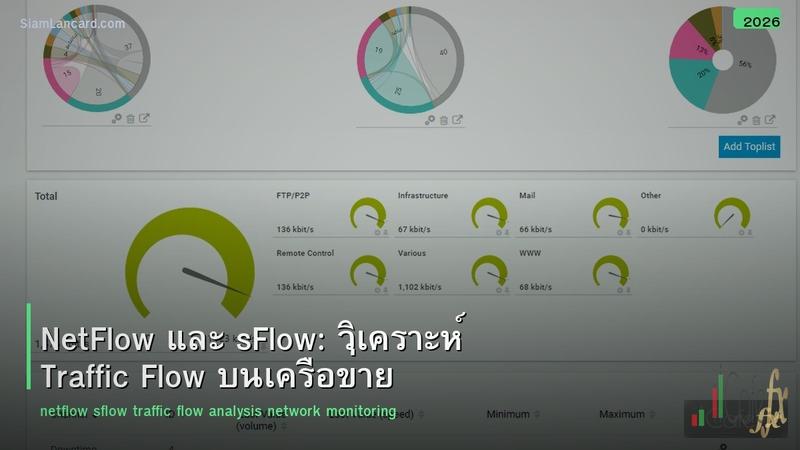
NetFlow และ sFlow: วิเคราะห์ Traffic Flow บนเครือข่าย
NetFlow และ sFlow เป็นเทคโนโลยีสำหรับ collect และวิเคราะห์ traffic flow data จาก network devices ช่วยตอบคำถามว่า ใครคุยกับใคร ใช้ application อะไร ใช้ bandwidth เท่าไหร่ และมี traffic ผิดปกติหรือไม่ เป็นเครื่องมือสำคัญสำหรับ capacity planning, troubleshooting และ security monitoring
ต่างจาก SNMP ที่บอกแค่ interface utilization (กี่ %) NetFlow/sFlow บอกรายละเอียดของ traffic เช่น source/destination IP, ports, protocol, bytes, packets ทำให้รู้ว่า bandwidth ถูกใช้โดย application อะไร ใครเป็นคนใช้มากที่สุด มี traffic ที่ผิดปกติหรือไม่ บทความนี้จะเปรียบเทียบทั้ง 2 เทคโนโลยี
NetFlow vs sFlow
| คุณสมบัติ |
NetFlow |
sFlow |
| Developer |
Cisco (1996) |
InMon (2001) |
| Method |
Flow-based (track ทุก flow) |
Sampling-based (สุ่ม 1 ใน N packets) |
| Data |
Flow records (aggregated) |
Sampled packets + interface counters |
| CPU Impact |
สูงกว่า (track ทุก flow) |
ต่ำกว่า (sampling) |
| Accuracy |
สูง (ทุก flow) |
ปานกลาง (statistical sampling) |
| Vendor Support |
Cisco (+ compatible: Juniper J-Flow, HP NetStream) |
Multi-vendor (open standard) |
| L2 Info |
จำกัด |
มี (MAC addresses, VLAN) |
| Standard |
IPFIX (RFC 7011) = NetFlow v10 |
RFC 3176 |
Flow Record Fields
| Field |
NetFlow v5 |
NetFlow v9/IPFIX |
sFlow |
| Source IP |
✓ |
✓ |
✓ |
| Destination IP |
✓ |
✓ |
✓ |
| Source Port |
✓ |
✓ |
✓ |
| Destination Port |
✓ |
✓ |
✓ |
| Protocol |
✓ |
✓ |
✓ |
| Bytes |
✓ |
✓ |
✓ |
| Packets |
✓ |
✓ |
✓ |
| Input/Output Interface |
✓ |
✓ |
✓ |
| ToS/DSCP |
✓ |
✓ |
✓ |
| TCP Flags |
✓ |
✓ |
✓ |
| VLAN ID |
✗ |
✓ |
✓ |
| MAC Addresses |
✗ |
✓ |
✓ |
| Application Info |
✗ |
✓ (NBAR) |
✗ |
NetFlow Versions
| Version |
ลักษณะ |
Status |
| NetFlow v5 |
Fixed format, IPv4 only, 7 key fields |
Legacy (ยังใช้กันมาก) |
| NetFlow v9 |
Template-based, flexible fields, IPv6 support |
Current (Cisco) |
| IPFIX (v10) |
IETF standard based on NetFlow v9, extensible |
Standard (multi-vendor) |
| Flexible NetFlow |
Cisco’s enhanced NetFlow, custom key fields |
Current (Cisco IOS-XE/XR) |
sFlow Sampling
| Setting |
ความหมาย |
แนะนำ |
| Sampling Rate 1:1000 |
สุ่ม 1 packet จากทุก 1,000 packets |
1 Gbps interfaces |
| Sampling Rate 1:2000 |
สุ่ม 1 จาก 2,000 |
10 Gbps interfaces |
| Sampling Rate 1:4000 |
สุ่ม 1 จาก 4,000 |
40 Gbps interfaces |
| Polling Interval |
ดึง interface counters ทุก N วินาที |
20-30 วินาที |
Flow Collector Tools
| Tool |
NetFlow |
sFlow |
ราคา |
จุดเด่น |
| ntopng |
✓ |
✓ |
Free / $$ |
Web UI, real-time, open-source |
| Elasticsearch + Filebeat |
✓ |
✓ |
Free |
Scalable, custom dashboards |
| ManageEngine NetFlow Analyzer |
✓ |
✓ |
$$ |
Enterprise, easy setup |
| SolarWinds NTA |
✓ |
✓ |
$$$ |
Enterprise, deep analysis |
| PRTG |
✓ |
✓ |
$$ |
All-in-one monitoring |
| Grafana + Telegraf |
✓ |
✓ |
Free |
Custom dashboards, flexible |
| nfdump/nfsen |
✓ |
✗ |
Free |
CLI-based, lightweight |
Use Cases
| Use Case |
วิธีใช้ Flow Data |
| Bandwidth Monitoring |
ดู top talkers, top applications, bandwidth per department |
| Capacity Planning |
ดู traffic trends → วางแผน upgrade links |
| Troubleshooting |
หา source ของ traffic spike, identify bottlenecks |
| Security Monitoring |
หา port scanning, DDoS, data exfiltration, C2 traffic |
| Network Forensics |
ดูว่า attacker ส่ง traffic ไปไหนบ้าง เมื่อไหร่ |
| QoS Validation |
ตรวจสอบว่า traffic ได้ QoS ตาม policy หรือไม่ |
| Billing/Chargeback |
คิดค่า bandwidth ตามการใช้งานจริง per department/tenant |
เลือก NetFlow หรือ sFlow
| สถานการณ์ |
แนะนำ |
เหตุผล |
| All Cisco network |
NetFlow/IPFIX |
Native support, NBAR application detection |
| Multi-vendor network |
sFlow |
Open standard, supported by most vendors |
| High-speed links (40G+) |
sFlow |
Low CPU impact (sampling) |
| Need exact flow data |
NetFlow |
Tracks every flow (not sampled) |
| Budget-conscious |
sFlow |
Free, open standard, lightweight |
| Security/forensics |
NetFlow/IPFIX |
More accurate (every flow recorded) |
Best Practices
| Practice |
รายละเอียด |
| Enable บน key interfaces |
WAN links, server segments, internet edge (ไม่ต้องทุก interface) |
| Set appropriate sampling rate |
sFlow: 1:1000 (1G), 1:2000 (10G), 1:4000 (40G+) |
| Use dedicated collector |
แยก server สำหรับ flow collection (ไม่ใช้ร่วมกับ production) |
| Retain data 30-90 วัน |
เก็บ flow data ย้อนหลังสำหรับ analysis/forensics |
| Set up alerts |
Alert เมื่อ top talker เปลี่ยน หรือ traffic spike ผิดปกติ |
| Combine กับ SNMP |
SNMP = interface utilization, Flow = traffic detail |
ทิ้งท้าย: Flow Data = Network Visibility
NetFlow/sFlow ให้ visibility ที่ SNMP ไม่สามารถให้ได้ NetFlow = accurate (ทุก flow), sFlow = lightweight (sampling) เลือกตาม vendor + performance requirements ใช้สำหรับ monitoring, troubleshooting, security, capacity planning เริ่มต้นด้วย enable บน WAN links + internet edge ก่อน
อ่านเพิ่มเติมเกี่ยวกับ SNMP v3 Monitoring และ Network Forensics ที่ siamlancard.com หรือจาก icafeforex.com และ siam2r.com






