Home » IPv6 Deployment: Dual-Stack, NAT64, DNS64, SLAAC, DHCPv6 และ IPv6 Security
IPv6 Deployment: Dual-Stack, NAT64, DNS64, SLAAC, DHCPv6 และ IPv6 Security
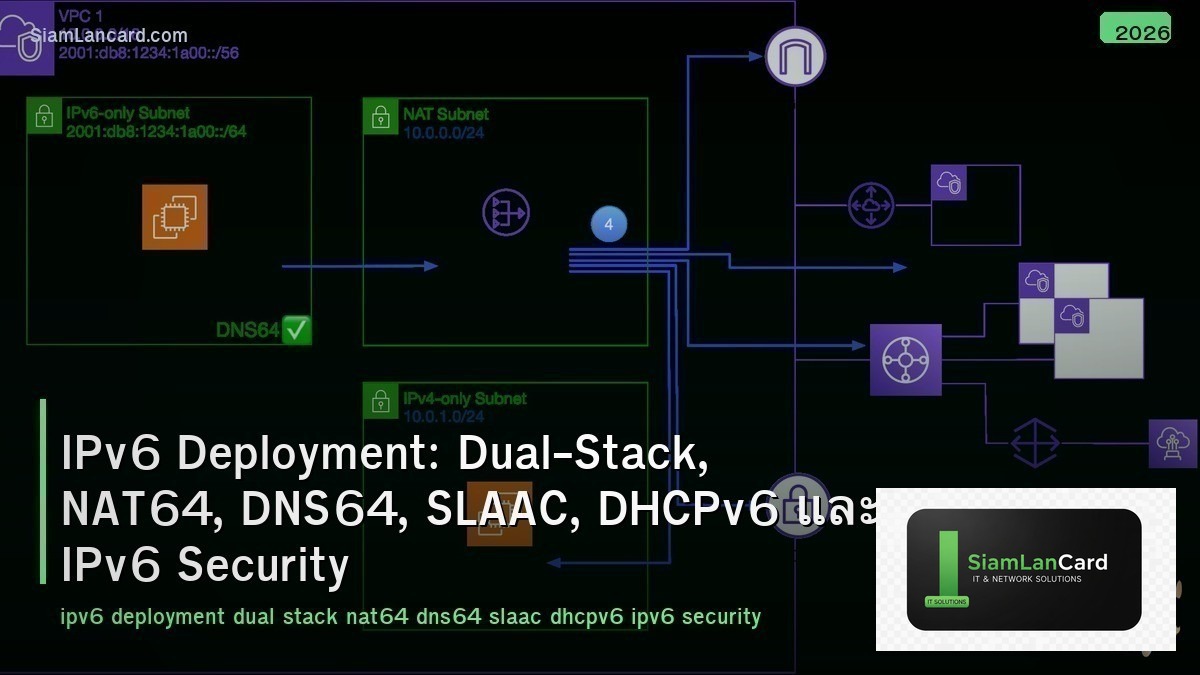
IPv6 Deployment: Dual-Stack, NAT64, DNS64, SLAAC, DHCPv6 และ IPv6 Security
IPv6 Deployment เป็นสิ่งจำเป็นเมื่อ IPv4 addresses หมดลง Dual-Stack ให้ devices ใช้ทั้ง IPv4 และ IPv6 พร้อมกัน, NAT64 แปลง IPv6 traffic เป็น IPv4 สำหรับ legacy services, DNS64 สร้าง synthetic AAAA records สำหรับ IPv4-only destinations, SLAAC ให้ hosts configure IPv6 address เองอัตโนมัติ, DHCPv6 ให้ centralized address assignment และ IPv6 Security มีทั้งข้อดีและความท้าทายใหม่ที่ต้องระวัง
IPv4 addresses หมดแล้วในทุก regional registries: APNIC (2011), RIPE (2012), ARIN (2015), LACNIC (2014), AFRINIC (2017) องค์กรที่ยังไม่ deploy IPv6 จะเข้าถึง internet ส่วนที่เป็น IPv6-only ไม่ได้ Major cloud providers, mobile networks, ISPs ใช้ IPv6 เป็น default แล้ว Google reports 45%+ ของ traffic มาจาก IPv6
IPv6 Address Types
| Type |
Prefix |
Scope |
| Global Unicast (GUA) |
2000::/3 |
Globally routable (เหมือน public IPv4) |
| Link-Local |
fe80::/10 |
เฉพาะ link เดียว (auto-generated, ใช้สำหรับ NDP, routing) |
| Unique Local (ULA) |
fc00::/7 (fd00::/8 commonly) |
Private addresses (เหมือน 10.0.0.0/8 ใน IPv4) |
| Multicast |
ff00::/8 |
One-to-many (แทนที่ broadcast ใน IPv4) |
| Loopback |
::1/128 |
Loopback (เหมือน 127.0.0.1) |
| Unspecified |
::/128 |
เหมือน 0.0.0.0 |
Dual-Stack
| Feature |
รายละเอียด |
| คืออะไร |
Devices run ทั้ง IPv4 และ IPv6 protocol stacks พร้อมกัน |
| How |
Interface มีทั้ง IPv4 address และ IPv6 address → OS เลือกใช้ตาม destination |
| Happy Eyeballs |
Algorithm ที่ prefer IPv6 แต่ fallback IPv4 ถ้า IPv6 ช้า/ไม่ work (RFC 8305) |
| Pros |
Simple concept, backward compatible, gradual migration |
| Cons |
ต้อง manage ทั้ง 2 stacks (double work: addressing, routing, security, monitoring) |
| Best For |
Most organizations during transition period (recommended first step) |
NAT64 + DNS64
| Feature |
NAT64 |
DNS64 |
| คืออะไร |
Translate IPv6 packets ↔ IPv4 packets |
Synthesize AAAA records สำหรับ IPv4-only destinations |
| How |
IPv6 client → NAT64 gateway → IPv4 server |
DNS query → no AAAA → DNS64 creates fake AAAA with NAT64 prefix |
| Use Case |
IPv6-only network ต้องเข้าถึง IPv4-only services |
ทำงานคู่กับ NAT64 (ให้ IPv6 client “see” IPv4-only as IPv6) |
| NAT64 Prefix |
64:ff9b::/96 (well-known) หรือ custom prefix |
Same prefix used by DNS64 and NAT64 |
| Apple/T-Mobile |
ใช้ NAT64+DNS64 สำหรับ IPv6-only mobile networks |
iOS apps ต้อง support IPv6 (App Store requirement) |
SLAAC vs DHCPv6
| Feature |
SLAAC |
DHCPv6 |
| คืออะไร |
Stateless Address Autoconfiguration |
Dynamic Host Configuration Protocol v6 |
| How |
Router sends RA (prefix) → host generates address (EUI-64 or random) |
Host requests address from DHCPv6 server |
| State |
Stateless (router ไม่ track ว่าใครได้ address อะไร) |
Stateful (server track address assignments) |
| DNS |
RDNSS option ใน RA (RFC 8106) — ไม่ทุก OS support |
DHCPv6 provides DNS servers reliably |
| Management |
ง่าย (no server needed) แต่ ไม่รู้ว่าใครใช้ address อะไร |
ซับซ้อนกว่า แต่ track ได้ (audit, compliance) |
| Common Combo |
SLAAC + DHCPv6 stateless (SLAAC สำหรับ address, DHCPv6 สำหรับ DNS + other options) |
– |
NDP (Neighbor Discovery Protocol)
| Message |
Function |
เหมือนใน IPv4 |
| Router Solicitation (RS) |
Host ขอ router information |
– |
| Router Advertisement (RA) |
Router ประกาศ prefix, default gateway, flags |
DHCP (partly) |
| Neighbor Solicitation (NS) |
Resolve IPv6 → MAC address |
ARP Request |
| Neighbor Advertisement (NA) |
Reply with MAC address |
ARP Reply |
| Redirect |
แจ้ง host ให้ใช้ better next-hop |
ICMP Redirect |
| DAD (Duplicate Address Detection) |
ตรวจสอบว่า address ซ้ำหรือไม่ ก่อนใช้ |
Gratuitous ARP |
IPv6 Security
| Threat |
Attack |
Defense |
| Rogue RA |
Attacker ส่ง fake Router Advertisement → redirect traffic (MITM) |
RA Guard (switch feature), SEND (SEcure NDP) |
| NDP Spoofing |
เหมือน ARP spoofing — fake Neighbor Advertisement |
NDP Snooping, SEND, dynamic ND inspection |
| Extension Header Abuse |
ใช้ extension headers ซ่อน malicious content หรือ bypass firewalls |
Firewall ต้อง inspect extension headers, drop fragments ถ้าไม่จำเป็น |
| Reconnaissance |
IPv6 /64 subnet มี 2^64 addresses → traditional scan ไม่ work |
แต่ SLAAC EUI-64 ทำนาย MAC ได้ → ใช้ privacy extensions (random IID) |
| Tunnel Attacks |
6to4, Teredo, ISATAP tunnels bypass firewall (IPv6 in IPv4) |
Block unused transition mechanisms, monitor tunnel traffic |
IPv6 Deployment Steps
| Step |
Action |
| 1. Get IPv6 Prefix |
ขอ /48 จาก ISP หรือ RIR (APNIC สำหรับ Asia) |
| 2. Address Plan |
/48 → /56 per site → /64 per subnet (standard subnet size) |
| 3. Core Network |
Enable IPv6 on routers/switches (dual-stack), IGP (OSPFv3/IS-IS) |
| 4. DNS |
Add AAAA records, enable IPv6 on DNS servers |
| 5. SLAAC + DHCPv6 |
Configure RA on routers, DHCPv6 server สำหรับ DNS/options |
| 6. Security |
Update firewall rules (IPv6 ACLs), enable RA Guard, NDP snooping |
| 7. Applications |
Test applications with IPv6, update hardcoded IPv4 addresses |
| 8. Monitor |
Monitor IPv6 traffic, dual-stack performance, Happy Eyeballs behavior |
ทิ้งท้าย: IPv6 = The Future is Already Here
IPv6 Deployment Why: IPv4 exhausted ใน all regions, 45%+ internet traffic is IPv6, mobile/cloud = IPv6-first Addresses: GUA (2000::/3), Link-Local (fe80::/10), ULA (fc00::/7), Multicast (ff00::/8) Dual-Stack: run both IPv4+IPv6 (best first step), Happy Eyeballs (prefer IPv6, fallback IPv4) NAT64+DNS64: IPv6-only network → access IPv4-only services (Apple/T-Mobile requirement) SLAAC: stateless auto-config (simple) | DHCPv6: stateful (trackable) | Combo: SLAAC + DHCPv6 stateless Security: RA Guard (rogue RA), NDP snooping, extension header inspection, privacy extensions Deploy: get prefix → address plan → core → DNS → SLAAC/DHCPv6 → security → apps → monitor
อ่านเพิ่มเติมเกี่ยวกับ MPLS Deep Dive Labels LSP LDP และ Network Segmentation VLANs VRF ที่ siamlancard.com หรือจาก icafeforex.com และ siam2r.com






