
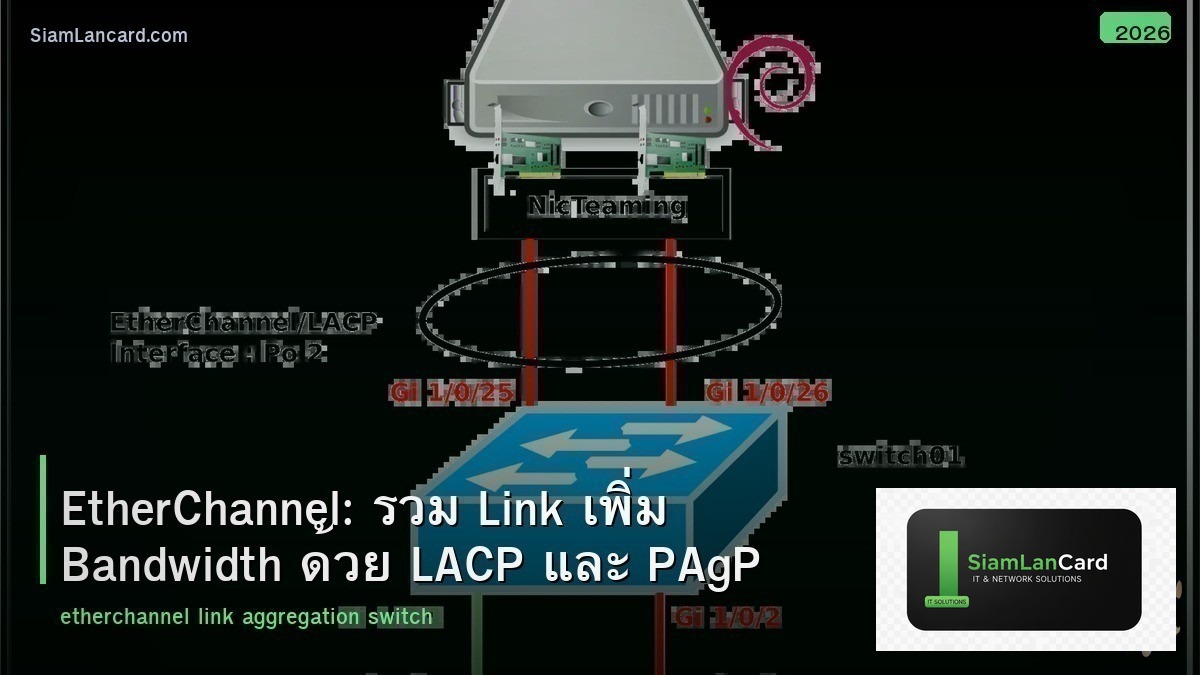
EtherChannel: รวม Link เพิ่ม Bandwidth ด้วย LACP และ PAgP
EtherChannel (หรือ Link Aggregation) คือเทคนิคการรวม physical links หลายเส้นให้เป็น logical link เส้นเดียว เช่น รวม 4 ports GigabitEthernet ให้ได้ bandwidth 4 Gbps ในขณะที่ STP มองเป็น link เดียวไม่ block เส้นไหนเลย ถ้า link เส้นใดเส้นหนึ่งเสีย traffic จะย้ายไปเส้นอื่นอัตโนมัติ (redundancy)
EtherChannel ใช้กันมากระหว่าง access switch กับ distribution switch และระหว่าง switches กับ servers ที่ต้องการ bandwidth สูง มี 2 protocols หลัก: LACP (มาตรฐาน IEEE) และ PAgP (Cisco proprietary) บทความนี้จะอธิบายวิธีตั้งค่าทั้งสอง พร้อม best practices
LACP vs PAgP vs Static
| คุณสมบัติ | LACP (802.3ad) | PAgP | Static (On) |
|---|---|---|---|
| มาตรฐาน | IEEE 802.3ad | Cisco Proprietary | ไม่มี protocol |
| Multi-vendor | ใช่ | Cisco only | ใช่ |
| Negotiation | Active/Passive | Desirable/Auto | ไม่มี |
| Max Links | 16 (8 active + 8 standby) | 8 | 8 |
| Error Detection | ดี (LACPDU monitoring) | ดี | ไม่มี |
| แนะนำ | แนะนำสูงสุด | เฉพาะ Cisco-to-Cisco | ไม่แนะนำ |
ตั้งค่า LACP EtherChannel บน Cisco Switch
ตัวอย่าง: รวม 4 ports เป็น Port-Channel 1
เข้า interface range GigabitEthernet0/1 – 4 กำหนด channel-group 1 mode active (LACP active mode) ตั้งค่า port-channel interface: interface Port-channel1 กำหนด switchport mode trunk (ถ้าเป็น trunk) หรือ switchport mode access + switchport access vlan X (ถ้าเป็น access)
ข้อสำคัญ
ทุก port ใน EtherChannel ต้องมี configuration เหมือนกัน ทุกประการ speed, duplex, switchport mode (access/trunk), VLANs allowed (ถ้า trunk), native VLAN ถ้า configuration ไม่ตรงกัน EtherChannel จะไม่ form หรือ form แล้วมีปัญหา
ตั้งค่า PAgP EtherChannel
ตัวอย่าง
เหมือน LACP แต่ใช้ mode desirable แทน mode active (channel-group 1 mode desirable) ฝั่งตรงข้ามต้องเป็น desirable หรือ auto อย่างน้อยฝั่งหนึ่งต้องเป็น desirable (ถ้าทั้งสองเป็น auto จะไม่ negotiate)
Load Balancing Methods
วิธีกระจาย Traffic
EtherChannel ไม่ได้ round-robin traffic ทุก packet ไปทุก link แต่ใช้ hash algorithm กระจาย traffic ตาม criteria ที่เลือก
| Method | Hash Based On | เหมาะกับ |
|---|---|---|
| src-mac | Source MAC Address | L2 environment |
| dst-mac | Destination MAC Address | L2 environment |
| src-dst-mac | Source + Destination MAC | L2 environment (default Cisco) |
| src-ip | Source IP Address | L3 environment |
| dst-ip | Destination IP Address | L3 environment |
| src-dst-ip | Source + Destination IP | L3 environment (แนะนำ) |
| src-port | Source TCP/UDP Port | Single server to many clients |
| src-dst-port | Source + Dest Port | กระจายดีที่สุด |
ตั้งค่าด้วย port-channel load-balance src-dst-ip (global configuration) เลือก method ที่ให้ variety มากที่สุดในแต่ละ scenario
L2 EtherChannel vs L3 EtherChannel
L2 EtherChannel
L2 EtherChannel ใช้เป็น trunk หรือ access port เหมือน physical port ปกติ ใช้ระหว่าง access switch กับ distribution switch ตั้งค่า switchport commands บน port-channel interface
L3 EtherChannel
L3 EtherChannel ใช้เป็น routed interface (มี IP address) ใช้ระหว่าง L3 switches หรือ routers ตั้ง no switchport บน member interfaces ตั้ง IP address บน port-channel interface ใช้สำหรับ routing protocols (OSPF, EIGRP) ระหว่าง switches
Troubleshooting EtherChannel
EtherChannel ไม่ Form
สาเหตุที่พบบ่อยที่สุด คือ configuration ไม่ตรงกันระหว่าง member ports ตรวจสอบ: speed/duplex ตรงกันทุก port, switchport mode ตรงกัน (ทุก port เป็น trunk หรือทุก port เป็น access), VLANs allowed ตรงกัน, native VLAN ตรงกัน, STP cost/priority ตรงกัน ใช้ show etherchannel summary ดูสถานะ ใช้ show etherchannel port-channel ดูรายละเอียด ใช้ show interfaces port-channel 1 ดู status
Flags ใน show etherchannel summary
| Flag | ความหมาย |
|---|---|
| P | Port bundled in port-channel (ปกติ) |
| I | Individual (ไม่ได้ bundle) |
| s | Suspended |
| S | Layer 2 (switchport) |
| R | Layer 3 (routed) |
| U | In use |
| D | Down |
Best Practices
ใช้ LACP เสมอ
ใช้ LACP แทน PAgP หรือ static เพราะ LACP เป็นมาตรฐาน ใช้ข้ามยี่ห้อได้ มี LACPDU monitoring ตรวจจับ link failure ได้ดี ใช้ mode active ทั้งสองฝั่ง (active-active ดีที่สุด)
ใช้จำนวน Links เป็นเลขยกกำลัง 2
ใช้ 2, 4 หรือ 8 links ต่อ EtherChannel เพราะ hash algorithm กระจาย traffic ได้สม่ำเสมอกว่าเมื่อจำนวน links เป็นเลขยกกำลัง 2 ใช้ 3, 5, 6, 7 links hash จะกระจายไม่สม่ำเสมอ บาง links ได้ traffic มากกว่า
ตั้งค่า Port-Channel Interface ก่อน
ตั้งค่า port-channel interface ก่อน (trunk, VLANs, etc.) แล้วค่อย add member ports เข้า channel-group ป้องกันปัญหา configuration mismatch ระหว่าง member ports
ทิ้งท้าย: EtherChannel เพิ่ม Bandwidth + Redundancy
EtherChannel เป็นวิธีง่ายที่สุดในการเพิ่ม bandwidth ระหว่าง switches โดยไม่ต้องซื้ออุปกรณ์ใหม่ ใช้ LACP เสมอ ตั้งค่า member ports ให้ตรงกันทุกประการ เลือก load-balance method ที่เหมาะสม ใช้จำนวน links เป็นเลขยกกำลัง 2
อ่านเพิ่มเติมเกี่ยวกับ Spanning Tree Protocol และ VLAN Trunking ที่ siamlancard.com หรือจาก icafeforex.com และ siam2r.com






