
DHCP Snooping และ DAI: ป้องกัน Rogue DHCP และ ARP Spoofing
DHCP Snooping และ Dynamic ARP Inspection (DAI) เป็น Layer 2 security features บน managed switches ที่ป้องกัน 2 การโจมตีที่พบบ่อยใน LAN: Rogue DHCP Server (DHCP Spoofing) และ ARP Spoofing/Poisoning ทั้งสองเป็นการโจมตีที่ง่ายมาก attacker แค่เสียบสาย LAN ก็สามารถ redirect traffic ของทั้ง network ได้
องค์กรที่ไม่เปิด DHCP Snooping + DAI เสี่ยงต่อ man-in-the-middle attacks, data theft และ network disruption บทความนี้จะอธิบายทั้งสองการโจมตีและวิธีป้องกันบน Cisco switches
Rogue DHCP Server Attack
วิธีโจมตี
Attacker เสียบอุปกรณ์ที่รัน DHCP server เข้ากับ LAN อุปกรณ์ของ attacker ตอบ DHCP requests เร็วกว่า DHCP server จริง clients ได้ IP จาก rogue DHCP ที่ตั้ง default gateway เป็น IP ของ attacker traffic ทั้งหมดของ clients วิ่งผ่าน attacker (man-in-the-middle) attacker เห็น traffic ทั้งหมด (passwords, emails, data)
ตัวอย่างที่พบบ่อย
ไม่จำเป็นต้องเป็น attacker เสมอไป พนักงานนำ home router มาเสียบใน office (router มี DHCP เปิดอยู่) ก็เป็น rogue DHCP server ได้ ทำให้ network ทั้งหมดเสียหาย (clients ได้ wrong IP, wrong gateway)
DHCP Snooping
วิธีทำงาน
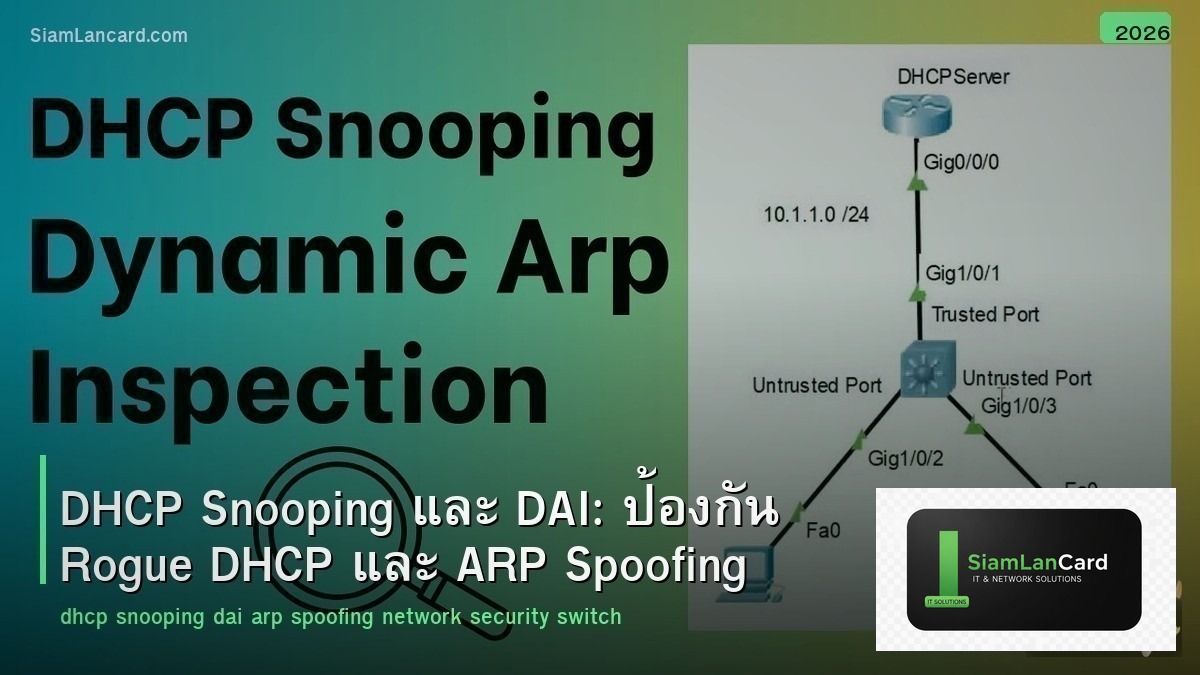
DHCP Snooping แบ่ง switch ports เป็น 2 ประเภท: Trusted ports: ports ที่เชื่อมต่อกับ DHCP server จริง (อนุญาต DHCP replies) Untrusted ports: ports อื่นทั้งหมด (ไม่อนุญาต DHCP replies) ถ้า DHCP reply (OFFER, ACK) มาจาก untrusted port จะถูก drop ทันที Rogue DHCP server บน untrusted port จะไม่สามารถแจก IP ได้
DHCP Snooping Binding Table
Binding Table เก็บข้อมูล: MAC address, IP address, VLAN, port, lease time ของทุก client ที่ได้ IP จาก DHCP ข้อมูลนี้ใช้โดย DAI (Dynamic ARP Inspection) และ IP Source Guard เป็น “database of truth” ว่า MAC ไหนควรมี IP อะไร บน port ไหน
Configure DHCP Snooping (Cisco)
Steps
Step 1: เปิด DHCP Snooping globally: ip dhcp snooping Step 2: เปิดบน VLAN ที่ต้องการ: ip dhcp snooping vlan 10,20,30 Step 3: กำหนด trusted port (port ที่เชื่อมกับ DHCP server หรือ uplink): interface GigabitEthernet0/1 ip dhcp snooping trust Step 4: untrusted ports (default) ไม่ต้อง configure ports ที่เชื่อมกับ clients เป็น untrusted โดย default
ARP Spoofing Attack
วิธีโจมตี
ARP Spoofing (ARP Poisoning): attacker ส่ง gratuitous ARP replies ปลอม บอกว่า “IP ของ gateway = MAC ของ attacker” clients อัพเดท ARP table ชี้ gateway ไปที่ MAC ของ attacker traffic ทั้งหมดของ clients วิ่งผ่าน attacker เครื่องมือโจมตี: arpspoof, ettercap, bettercap (ใช้ง่ายมาก)
Dynamic ARP Inspection (DAI)
วิธีทำงาน
DAI ตรวจสอบ ARP packets บน untrusted ports เทียบกับ DHCP Snooping Binding Table ถ้า ARP packet มี MAC-IP mapping ที่ไม่ตรงกับ binding table จะถูก drop ป้องกัน ARP spoofing/poisoning เพราะ attacker ไม่สามารถส่ง ARP reply ปลอมได้
Configure DAI (Cisco)
Step 1: ต้องเปิด DHCP Snooping ก่อน (DAI ใช้ binding table จาก DHCP Snooping) Step 2: เปิด DAI บน VLAN: ip arp inspection vlan 10,20,30 Step 3: กำหนด trusted port (uplink, port ที่ไม่ต้อง inspect): interface GigabitEthernet0/1 ip arp inspection trust Step 4: untrusted ports (default) จะถูก inspect ทุก ARP packet
IP Source Guard
เพิ่มความปลอดภัยอีกชั้น
IP Source Guard ใช้ DHCP Snooping Binding Table ตรวจสอบว่า source IP ใน packet ตรงกับ MAC + port ที่ binding ไว้ ถ้า client ปลอม source IP (IP spoofing) จะถูก drop ป้องกัน IP spoofing attacks configure: ip verify source บน interface
Troubleshooting
| ปัญหา | สาเหตุ | แก้ไข |
|---|---|---|
| Clients ไม่ได้ IP หลังเปิด DHCP Snooping | DHCP server port ไม่ได้ trust | trust port ที่เชื่อมกับ DHCP server + uplinks |
| DAI drop ARP จาก devices ที่มี static IP | Static IP ไม่มีใน binding table | สร้าง ARP ACL สำหรับ static IP devices |
| Rate limit exceeded | ARP packets มากเกินไปจาก 1 port | เพิ่ม rate limit หรือตรวจสอบว่ามี ARP storm |
Best Practices
Implementation Order
Step 1: เปิด DHCP Snooping ก่อน (trust uplinks + DHCP server ports) Step 2: รอให้ binding table สร้างเสร็จ (clients renew DHCP lease) Step 3: เปิด DAI (trust uplinks) Step 4: สร้าง ARP ACL สำหรับ devices ที่มี static IP Step 5: เปิด IP Source Guard (optional, เพิ่มความปลอดภัย) ทำทีละ VLAN อย่าเปิดทั้งหมดพร้อมกัน
ทิ้งท้าย: Layer 2 Security เป็นพื้นฐานที่ต้องมี
DHCP Snooping + DAI เป็น Layer 2 security ที่ทุก managed switch ควรเปิด ป้องกัน rogue DHCP และ ARP spoofing ที่เป็นการโจมตีที่ง่ายที่สุดแต่อันตรายมาก ตั้งค่าไม่ยาก แค่ trust port ให้ถูก ทำทีละ VLAN test ให้แน่ใจก่อน roll out ทั้ง network
อ่านเพิ่มเติมเกี่ยวกับ Network Segmentation VLAN และ Firewall Rules ACL ที่ siamlancard.com หรือจาก icafeforex.com และ siam2r.com






