
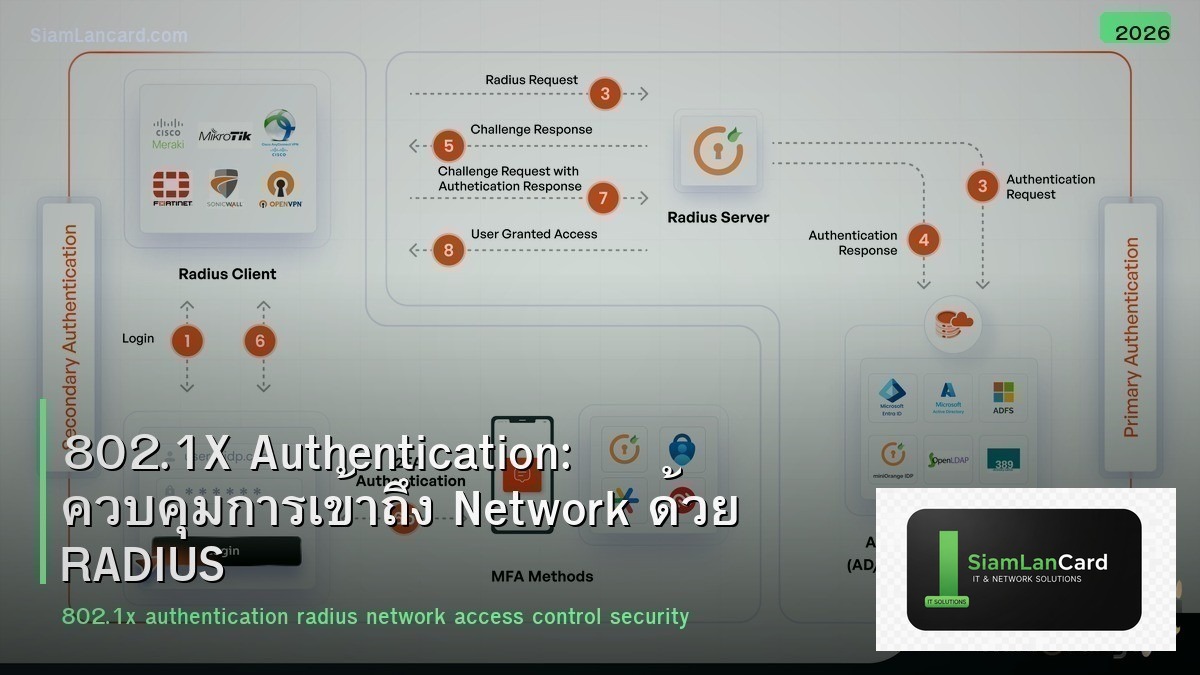
802.1X Authentication: ควบคุมการเข้าถึง Network ด้วย RADIUS
802.1X เป็นมาตรฐาน IEEE สำหรับ port-based network access control (PNAC) ที่บังคับให้ devices ยืนยันตัวตนก่อนเข้าถึง network ทำงานร่วมกับ RADIUS server เพื่อ authenticate users/devices ที่เชื่อมต่อ switch ports หรือ WiFi ก่อนให้ access เข้า network
หลายองค์กร ไม่มีการ authenticate devices ที่เชื่อมต่อ network ใครเอา laptop มาเสียบสาย LAN ก็เข้า network ได้ทันที ทำให้ rogue devices, unauthorized users และ attackers เข้าถึง internal network ได้ง่าย 802.1X แก้ปัญหานี้โดยบังคับ authentication ก่อน grant access บทความนี้จะสอนวิธี implement 802.1X
802.1X Components
| Component | บทบาท | ตัวอย่าง |
|---|---|---|
| Supplicant | Client software ที่ส่ง credentials | Windows built-in, SecureW2, AnyConnect |
| Authenticator | Switch/AP ที่ควบคุม port access | Cisco switch, Aruba AP, Juniper switch |
| Authentication Server | RADIUS server ที่ตรวจสอบ credentials | FreeRADIUS, Cisco ISE, Microsoft NPS |
Authentication Flow
ขั้นตอน: 1. Client เสียบสาย/เชื่อม WiFi → port อยู่ใน unauthorized state 2. Switch ส่ง EAP-Request/Identity ไปหา client 3. Client ตอบด้วย identity (username) 4. Switch forward ไป RADIUS server 5. RADIUS server ตรวจสอบ credentials (EAP method) 6. ถ้าผ่าน → RADIUS ส่ง Access-Accept → switch เปิด port 7. ถ้าไม่ผ่าน → Access-Reject → port ยังคง blocked (หรือไป guest VLAN)
EAP Methods
| Method | Authentication Type | จุดเด่น | ข้อเสีย |
|---|---|---|---|
| EAP-TLS | Certificate (client + server) | ปลอดภัยที่สุด ไม่ใช้ password | ต้อง deploy client certificates (PKI) |
| PEAP (MSCHAPv2) | Username/Password + server cert | ง่าย ใช้ AD credentials | Password-based (phishable) |
| EAP-TTLS | Username/Password + server cert | เหมือน PEAP แต่ flexible กว่า | Windows ไม่ support native |
| MAB (MAC Auth Bypass) | MAC address | สำหรับ devices ที่ไม่มี supplicant (printers, IoT) | MAC spoofing ได้ |
RADIUS Servers
| Server | ประเภท | จุดเด่น | ราคา |
|---|---|---|---|
| FreeRADIUS | Open-source | Powerful, flexible, most deployed RADIUS | ฟรี |
| Microsoft NPS | Built-in Windows Server | AD integration, Group Policy | รวมใน Windows Server license |
| Cisco ISE | Commercial NAC | Full NAC: 802.1X + profiling + posture + guest | $$$ |
| Aruba ClearPass | Commercial NAC | Multi-vendor, profiling, guest portal | $$$ |
| PacketFence | Open-source NAC | Full NAC features, VLAN assignment, guest | ฟรี |
Switch Configuration (Cisco IOS)
Basic 802.1X Setup
Global Config: aaa new-model → aaa authentication dot1x default group radius → aaa authorization network default group radius → dot1x system-auth-control → radius server ISE → address ipv4 10.1.1.100 auth-port 1812 acct-port 1813 → key SecretKey123!
Interface Config: interface GigabitEthernet0/1 → switchport mode access → switchport access vlan 10 → authentication port-control auto → dot1x pae authenticator → authentication order dot1x mab → authentication priority dot1x mab → mab → spanning-tree portfast
VLAN Assignment
Dynamic VLAN ตาม Authentication Result
| สถานะ | VLAN | Access |
|---|---|---|
| Auth Success (Employee) | VLAN 10 (Corporate) | Full internal access |
| Auth Success (Contractor) | VLAN 20 (Restricted) | Limited access |
| Auth Fail | VLAN 99 (Guest/Quarantine) | Internet only หรือ remediation |
| No Supplicant (MAB) | VLAN 30 (IoT/Printer) | Specific services only |
| Critical (RADIUS down) | VLAN 10 (Critical VLAN) | Fallback access |
RADIUS ส่ง VLAN ผ่าน attributes: Tunnel-Type = VLAN Tunnel-Medium-Type = 802 Tunnel-Private-Group-ID = 10
Wireless 802.1X (WPA2/WPA3 Enterprise)
WiFi Authentication
WPA2/WPA3 Enterprise ใช้ 802.1X แทน pre-shared key: ทุก user มี credentials ของตัวเอง (username/password หรือ certificate) เมื่อ user ออกจากองค์กร → disable account ใน AD = ปิด WiFi access ทันที ไม่ต้องเปลี่ยน WiFi password ทั้งองค์กร SSID → RADIUS server → AD/LDAP authentication
Troubleshooting
| ปัญหา | สาเหตุ | วิธีแก้ |
|---|---|---|
| Client ไม่ได้รับ EAP request | dot1x ไม่ได้ enable บน port | ตรวจ authentication port-control auto |
| Auth fail ทุกครั้ง | RADIUS key mismatch | ตรวจ RADIUS shared secret ทั้ง 2 ฝั่ง |
| Certificate error | Client ไม่ trust server cert | Install CA cert บน client |
| Printer/IoT ไม่ผ่าน auth | ไม่มี supplicant | ตั้ง MAB fallback |
| RADIUS server down → ทุก port ล็อค | ไม่มี critical auth | ตั้ง authentication event server dead action authorize |
ทิ้งท้าย: 802.1X = First Line of Defense
802.1X ป้องกัน unauthorized access ที่ Layer 2 ใช้ EAP-TLS (certificate) สำหรับ security สูงสุด PEAP (username/password) สำหรับ deploy ง่าย MAB สำหรับ devices ที่ไม่มี supplicant RADIUS + AD integration สำหรับ centralized management
อ่านเพิ่มเติมเกี่ยวกับ Zero Trust Network และ Network Access Control ที่ siamlancard.com หรือจาก icafeforex.com และ siam2r.com






